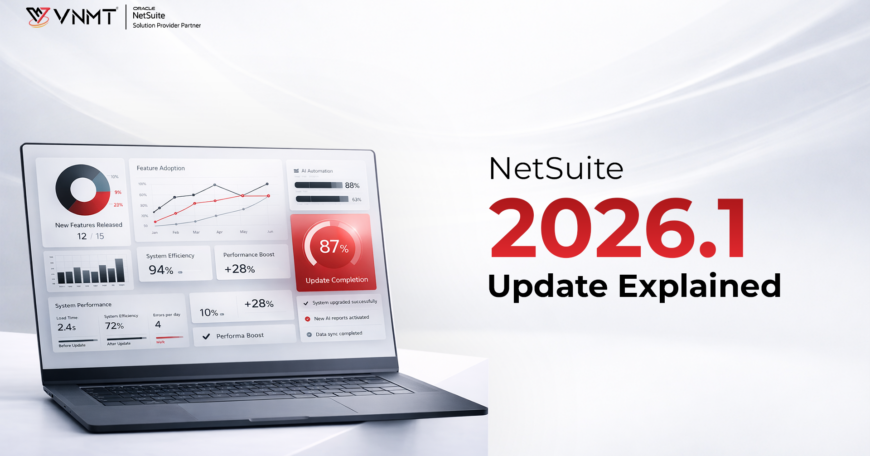

Many businesses rely on NetSuite to run queries, generate reports, and manage integrations. Over time, these queries and reports become deeply tied to the platform’s data structure. But even small changes in this structure can have a big impact. The NetSuite 2026.1 update introduces important changes to item subrecord script IDs. While they may seem technical or minor at first glance, these changes can significantly affect how data is accessed, interpreted, and shared. Ignoring them can lead to errors, disruptions, or broken workflows. In this blog, we’ll break down everything you need to know about this update and how to handle it effectively.
What Is Changing in NetSuite 2026.1 Update
The NetSuite release of 2026.1 release focuses on refining the internal architecture of the platform, particularly in how item sub-records are defined. This update moves towards a more standardized structure that aligns with current querying and reporting requirements.
Key Improvements:
1. Standardized Naming
NetSuite has standardized the naming convention for item sub-records, introducing a uniform format for script IDs. This update replaces the previous inconsistent IDs with a clear, predictable structure, making it easier for developers and analysts to reference, manage, and integrate item data across queries, reports, and custom scripts.
2. Improved Conformity with SuiteQL
The updated schema will improve the conformity of data accessed through SuiteQL and other third-party tools. This will help maintain data consistency.
3. Improved Long-Term Scalability
With a more consistent script ID format, future changes will become easier to manage. This also reduces errors and confusion for developers and analysts when referencing item sub-records.
What This Means for You:
These updates represent positive enhancements; however, they may impact existing configurations. If your queries or scripts rely on the previous script IDs, it is advisable to review and adjust them accordingly. Understanding the NetSuite developer changes in release 2026.1 is therefore essential.
Understanding Item Subrecords in NetSuite
The item subrecords play an important role in the structuring of information concerning items in NetSuite. NetSuite does not store information in a single record but relies on subrecords as a way to manage information in a complex manner.
Why Subrecords Matter:
- They allow for storage in a structured manner. The use of subrecords facilitates the storage of detailed information, such as inventory levels, vendors, and prices, among others.
- They are important in complex reporting and analytics. The ability to store detailed information in subrecords means that they can be used in reporting queries.
- They allow for flexibility in customization. NetSuite can be customized to allow for complex scripts to interact with subrecords.
Where They Are Used:
Subrecords are used in various ways at various places, such as-
- SuiteScript customizations, especially when they involve automation and business logic.
- SuiteQL queries, especially when they involve reporting information about the item.
- Analytics tools, especially when they involve structured data.
The NetSuite Item subrecord update changes the way the subrecords are identified; therefore, it requires a change in all the systems that use the subrecords.
Why Script ID Change Matters
Script IDs are key identifiers in NetSuite, which are utilized throughout the application to reference fields, records, and subrecords. They are integral to scripts.
Several script IDs are changed to a standard naming convention with the NetSuite 2026.1 release.
Why NetSuite Introduced These Changes:
There are some major reasons that these changes are being introduced
- The different modules in NetSuite had different naming conventions. This caused difficulties in developing and maintaining code.
- A standardized schema helps in developing queries in a simpler manner.
- Inconsistent script IDs can cause issues when integrating with other systems, so standardizing them helps ensure smooth integration.
Challenges You May Face:
- Scripts that already exist might not locate the correct data if they reference an outdated ID.
- Queries might not run as expected if references are incorrect.
- Integrations might not run as expected if references are incorrect.
The above challenges are a clear indication of why it is important to adapt to NetSuite developer changes 2026.1.
Impact on SuiteQL Queries
The NetSuite SuiteQL query changes are one of the biggest effects of this update. This is because SuiteQL uses script IDs to retrieve data. Therefore, any changes to the script IDs will have an impact on the query.
Common Issues After the Update:
- If a query uses an outdated script ID, it will not run or will display an error message.
- If joins are done using specific IDs, it may not work properly.
- The query may be working properly, but it will not display accurate results if incorrect references are used.
How It Affects Data Teams:
- There may be discrepancies for analysts to address in their dashboards.
- There is a possibility that the reports may not contain accurate information.
- The developers may have to rewrite the queries.
- It takes a lot of time to change the queries to match the new schema.
- Data pipelines may have to be restructured.
- The automated processes that extract the data may have to be changed to match the new schema.
The NetSuite SuiteQL item subrecord query changes need to be tested to guarantee that the queries are reliable.
Impact on SuiteAnalytics Connect Reports
SuiteAnalytics connect reports enable external reporting tools to access NetSuite data seamlessly. With the updated script ID format in the 2026.1 release, the structure of this data will change, which may affect existing reports and integrations. The key impacts of the NetSuite 2026.1 release on SuiteAnalytics Connect Reports include:
- Reports may not load properly or may show errors.
- The change in schema may affect the report configurations.
- Data may be missing or may show changes in name
- The change in script IDs may not match the previous configurations in BI tools.
- The dashboards may show incorrect or limited information.
- Even minor changes may result in incorrect reporting.
Systems Affected:
- Business intelligence platforms, such as Power BI and Tableau, rely on consistent data structures.
- Data warehouses and data pipelines that regularly synchronize data with NetSuite.
- Automated reporting platforms are used to derive business and financial insights.
The NetSuite analytics query changes have significant effects on all reporting systems that interact with NetSuite.
How to Update Your Queries and Integrations
In dealing with the changes that come with the NetSuite SuiteQL query, it is important to develop a strategy that will assist in avoiding disruption.
Step 1: Identify and Audit All Affected Components
When updating your queries and integrations, start by auditing your NetSuite environment. Identify all SuiteQL queries, saved searches, scripts, and integrations that interact with item subrecords. Then, create a centralized inventory to track these components, making it easier to prioritize updates and ensure nothing is overlooked. This structured approach not only saves time but also reduces the risk of errors during the transition to the new script ID format.
Step 2: Review and Map Script ID Changes
Once the audit is complete, review the updated script ID changes as outlined in NetSuite’s documentation. Next, create a mapping document that pairs old script IDs with the new ones. This serves as a reliable reference, helping quickly resolve errors and ensuring a smooth transition during updates.
Step 3: Update Query Logic and Scripts
The next step is to update your queries and scripts, including SELECT, JOIN, and WHERE statements. Complex queries that combine multiple tables are particularly vulnerable to breaking when script IDs or table structures change. To ensure accuracy, update these queries carefully and test them in a sandbox or staging environment before deploying to production. This approach helps maintain data integrity and prevents disruptions in reports and integrations.
Step 4: Test Changes in a Sandbox Environment
Before applying any updates to your live environment, it’s essential to test your changes in a sandbox. Setting up a sandbox allows you to safely validate your queries, scripts, and integrations without risking disruption to your production data. This testing phase helps identify errors, optimize performance, and ensure that all updates function as intended before deployment.
Step 5: Validate Integrations and External Systems
The final step is to validate your integrations. This involves checking all your integrations that are connected to your NetSuite. This process will help you test your integrations to ascertain that they are working correctly.
Best Practices Before Upgrading to NetSuite 2026.1
It is highly recommended to prepare for the NetSuite 2026.1 update before it happens to minimize risks.
Recommended Actions
- Upgrade your sandbox to test changes without impacting your production environment.
- List all scripts, queries, and integrations to determine what needs to be changed.
- Focus on important reports that are vital for operations.
- Work with developers, analysts, and business users to verify changes.
- Keep an eye on query performance, data accuracy, and integrations to handle any problems.
How VNMT Solutions Can Help With NetSuite Updates
Updating NetSuite subrecords can be complex due to multiple dependencies. A structured approach is essential, and it begins with a thorough audit and impact analysis to identify areas affected by script ID changes and prevent unexpected issues. Next, refine your SuiteQL queries and scripts to align with the new schema, and verify that all external systems continue to function correctly. Adjust SuiteAnalytics Connect reporting layers to ensure accurate analytics and maintain ongoing monitoring and support to address any issues that may arise after the update.

Stay Updated With NetSuite Changes
Staying informed about the latest changes, such as the NetSuite 2026.1 update, is essential for maintaining system efficiency. By implementing regular updates and leveraging expert guidance, businesses can adapt to changes effectively. Follow VNMT Solutions on LinkedIn to receive the latest updates, solutions, and professional advice to manage your systems efficiently.