
Imagine a finance manager who needs to understand why expenses have increased over the last quarter. The information is available in Oracle NetSuite, but finding the relevant records, reviewing reports, and identifying patterns can take time.
Now, imagine being able to ask an AI assistant a question about that information and receive a response based on the data available in NetSuite. This is where the integration of AI assistants with ERP systems becomes interesting for businesses.
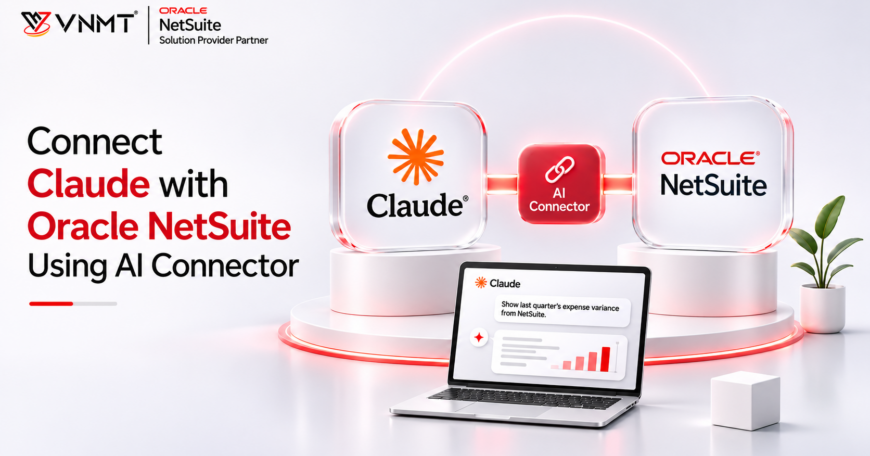
With Claude NetSuite integration, businesses can explore a more conversational way of accessing authorised ERP information. Oracle NetSuite’s AI Connector Service makes this possible by allowing supported external AI clients, including Claude, to communicate with NetSuite through the Model Context Protocol (MCP).
Rather than treating AI as a separate application, businesses can explore how it works alongside their existing ERP environment. Let’s understand how this connection works, what it can offer, and what organisations should consider before adopting it.
Explore how Claude connects with Oracle NetSuite, practical business applications, AI prompt libraries, and important security considerations.
VNMT Solutions is hosting an upcoming webinar on 19 November 2026, focused on connecting Claude with Oracle NetSuite through the NetSuite AI Connector Service.
The session will explore the connection approach, practical business applications across finance and operations, the AI Connector Service Companion and its prompt library, along with important security and governance considerations.
Attendees will also get an opportunity to see how Claude can interact with NetSuite through a live demonstration.
Connecting Claude with Oracle NetSuite Using the AI Connector Service:
- Date: 19 November 2026
- Time: 10:00 AM IST | 3:30 PM AEDT | 11:30 PM EST
- Event Link: Join Webinar
- Registration: Register for the Webinar
Interested in exploring how AI can work alongside your NetSuite environment?
Register for the webinar and see how the NetSuite AI Connector can support different business workflows.
What Is the NetSuite AI Connector Service?
The NetSuite AI Connector Service is an Oracle NetSuite capability that allows external AI clients to connect with NetSuite and interact with its data and supported functionality.
It uses the Model Context Protocol (MCP), an open standard developed by Anthropic that provides a common way for AI applications to communicate with external tools and data sources.
With the appropriate configuration, users can interact with authorised NetSuite information through an AI client such as Claude using natural language.
For example, instead of manually navigating through NetSuite to locate a particular report, a user could ask Claude to retrieve and explain relevant financial information using the tools available through the connection.
The service works with the MCP Standard Tools SuiteApp, which provides a set of tools for working with NetSuite records, reports, saved searches, and SuiteQL queries.
Organisations can also explore building custom tools to support additional requirements.
How Does Claude NetSuite Integration Work?
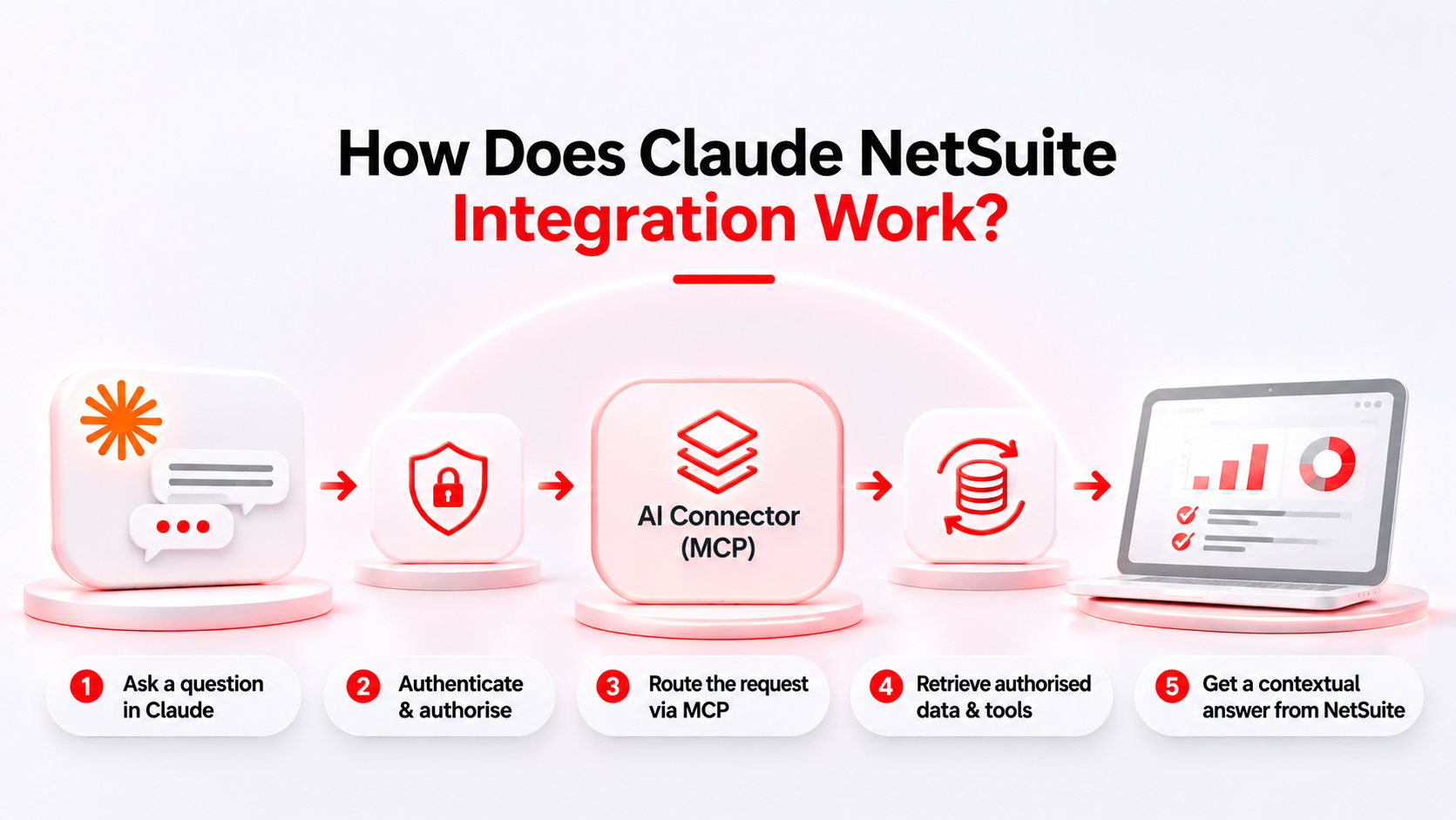
Claude connects with Oracle NetSuite through the NetSuite AI Connector Service, which acts as an MCP server between the AI client and the NetSuite environment.
The connection involves the following steps:
1. Connect Claude to NetSuite
An administrator provides the account-specific NetSuite MCP server URL. The user adds the NetSuite connector in Claude and initiates the connection.
2. Authorise the Connection
The user signs in to NetSuite and authorises the connection using the supported OAuth 2.0 authentication process. Access is governed by the assigned NetSuite role and permissions.
3. Identify the Required Tools
When a user submits a question, Claude identifies an appropriate tool available through the MCP connection. This could involve retrieving records, accessing saved searches, or using supported reporting and query functionality.
4. Process Requests Through NetSuite
The NetSuite AI Connector Service processes the tool request within the connected user’s permissions and returns the authorised information.
5. Generate the AI Response
Claude interprets the returned information and presents it in a conversational format, helping users understand the relevant business data.
This allows employees to interact with supported NetSuite functionality through natural language without receiving unrestricted access to the ERP system.
What Can Businesses Do with Claude and NetSuite?
Connecting an AI client with an ERP system becomes more interesting when businesses understand how it could support their daily activities.
Here are some practical areas where the NetSuite AI Connector can be useful.
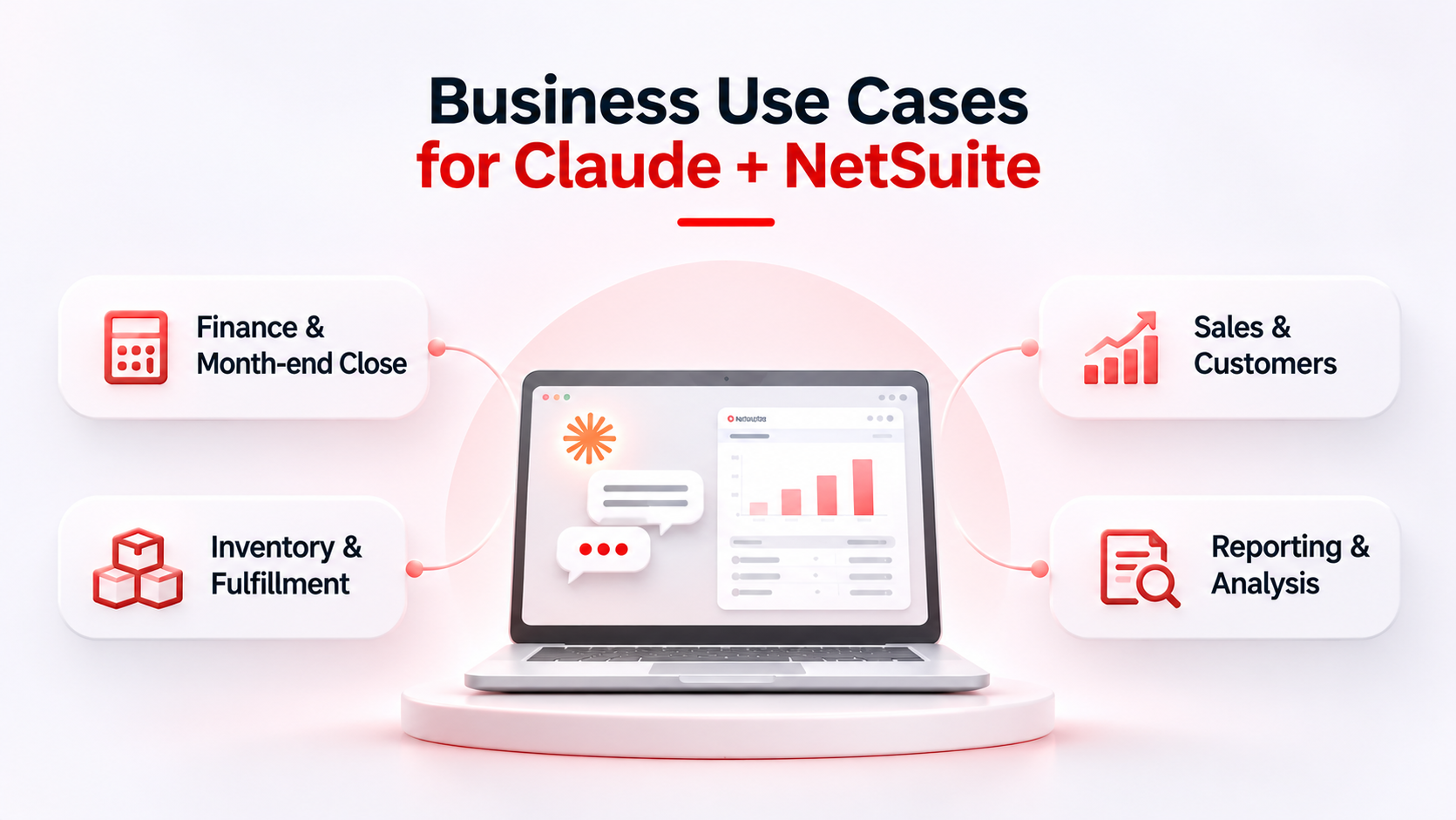
1. Finance – Investigating an unexpected expense increase
A finance manager is preparing the monthly management report and notices that operating expenses have increased compared with the previous month.
Instead of manually reviewing multiple reports, the manager could ask Claude:
“Compare operating expenses for September and October 2026. Identify the five largest increases and show the transactions contributing to each change.”
With the appropriate NetSuite tools and permissions, Claude can retrieve and organise the relevant information into a comparison.
The finance team can then investigate whether the changes are due to timing differences, unusual transactions, or actual increases in expenditure.
Business value: Easier access to financial information and a clearer starting point for investigating unexpected changes.
2. Inventory – Checking stock before confirming an order
A wholesale distributor manages inventory across multiple warehouse locations. A customer requests 250 units of a particular product, and the sales team needs to check availability before confirming the order.
The employee could ask Claude:
“Show the available inventory for item ABC-100 across our warehouse locations.”
Claude can retrieve supported inventory information from NetSuite and present it in an accessible format.
The team can then review stock commitments, inventory status, and fulfilment requirements before confirming availability.
Business value: Easier access to inventory information when responding to customer enquiries.
3. Sales – Preparing for a customer meeting
A sales manager has an important customer meeting approaching and wants to understand the customer’s recent purchasing activity.
Instead of opening multiple customer and transaction records, the manager could ask Claude:
“Summarise this customer’s sales transactions over the last six months. Highlight the largest orders and any recent decline in purchasing activity.”
Claude can retrieve authorised customer and transaction information and organise it into a summary.
The sales manager can review the purchasing history and prepare for a more informed customer discussion.
Business value: Better-prepared customer conversations using accessible sales information.
4. Operations – Understanding a delayed order
A customer contacts the operations team because an order has not progressed as expected.
The operations manager needs to check the order status and related fulfilment information.
The employee could ask Claude:
“Retrieve sales order SO-10482 and show its current status and related fulfilment information.”
Depending on the available NetSuite tools and permissions, Claude can retrieve the relevant order information and help the manager locate the associated records.
Business value: A more direct way to investigate order-related information without manually searching through multiple records.
Does the NetSuite AI Connector Replace Traditional Integrations?
No. The NetSuite AI Connector and traditional integration platforms serve different purposes.
The AI Connector allows users to interact with supported NetSuite functionality through conversational requests.
Traditional integrations, on the other hand, are designed for structured and repeatable data exchange between business applications.
For example, an eCommerce business may use Celigo to synchronise orders between Shopify and NetSuite automatically. This process requires predictable execution, monitoring, and error handling.
An operations manager could separately use Claude connected to NetSuite to investigate a particular order or retrieve related business information.
Both approaches can support different requirements within the same technology environment.
Why Does the Model Context Protocol Matter?
One of the interesting aspects of the NetSuite AI Connector Service is its use of MCP.
Traditionally, connecting an AI application with an enterprise system could involve developing and maintaining separate integrations for different applications.
MCP provides a standardised communication approach that allows compatible AI clients to work with tools exposed by external systems.
For businesses, this creates an opportunity to explore different AI applications without treating every connection as an entirely separate integration project.
It also supports a bring-your-own-AI approach, allowing organisations to work with supported AI clients based on their requirements and technology preferences.
However, compatibility, authentication, available tools, and account configuration still need to be considered.
Security and Permissions: What Should Businesses Consider?
Connecting an AI application to an ERP system requires careful attention to data access and security.
NetSuite’s AI Connector Service uses OAuth 2.0 authentication and NetSuite roles and permissions to control access.
This means the connected AI client does not automatically receive unrestricted access to the entire NetSuite account.
Before enabling the connection, businesses should consider the following:
MCP access permissions: Ensure that only authorised NetSuite roles have the required MCP permissions. Access should be restricted according to the user’s business responsibilities.
Activity monitoring: Review available NetSuite execution logs and internal monitoring controls to understand how connected tools are being used. Do not assume that logs capture every aspect of AI reasoning or business approvals.
Role-based access: Assign an appropriate NetSuite role with only the permissions required for the intended activities.
Authentication: Configure the connection using the supported authentication process and review the access being authorised.
Tool permissions: Understand which tools can retrieve information and which can create or update records.
Data privacy: Review the AI client’s privacy policies and data-handling practices before allowing business information to be processed.
Human oversight: Review AI-generated responses and verify important information against the original NetSuite records.
Governance: Establish internal guidelines covering approved AI clients, permitted tools, and access to sensitive business information.
An AI connection should be introduced with clear access controls and appropriate testing rather than granting broad permissions simply to explore its capabilities.
Is Your Business Ready to Connect AI with NetSuite?
Before introducing an AI client into an existing ERP environment, businesses should evaluate their requirements and readiness.
Start by identifying the processes where employees spend considerable time retrieving, reviewing, or interpreting business information.
Next, assess whether the relevant NetSuite data is organised and accessible through appropriate roles and permissions.
It is also important to identify which activities should remain read-only and which, if any, require permission to create or update records.
Finally, test the connection with a controlled set of users and use cases before considering wider adoption.
AI integration should be approached as part of a broader technology and governance strategy, not simply as another tool to add to the software stack.
Final Thoughts
The interesting part of connecting Claude with NetSuite isn’t that an ERP system can answer questions in natural language.
It’s what happens after the first question.
A finance manager can investigate a variance. A sales manager can review customer activity. An operations manager can find the records needed to understand an exception.
But useful answers still depend on reliable data, correctly configured permissions, and a clear understanding of what the AI assistant can, and cannot, do.
The NetSuite AI Connector opens up new possibilities for interacting with ERP information. However, making the most of these capabilities requires the right configuration, integration approach, and understanding of business requirements.
At VNMT Solutions, we help businesses with Oracle NetSuite implementation, integration, customization, and consulting services, helping them build an ERP environment that supports their business processes and evolving technology requirements.
Planning to connect AI capabilities with your NetSuite environment?
Talk to our NetSuite experts to discuss your requirements and explore the right approach for your business.