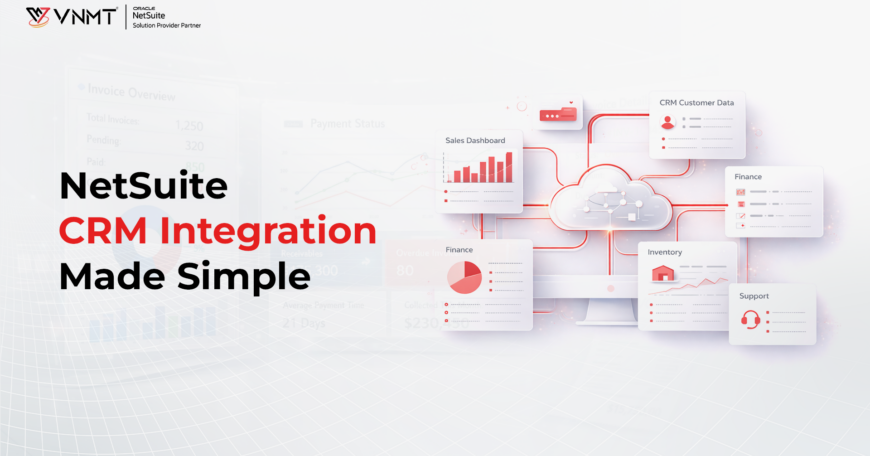

Today’s businesses use various systems to handle sales, finance, marketing, and customer service operations. If all these systems are standalone, it creates problems in managing data and operations. This is where NetSuite CRM comes into play. With the integration of the Oracle NetSuite CRM, businesses can easily create a unified system where the operations are carried out in a smooth manner. The integration helps businesses in bringing together the customer relationship management, financial management, and operational management within a single system.
Top 8 Oracle NetSuite CRM Features
Before implementing NetSuite CRM, it is important to understand the features that make it effective in managing customer relationships. The system supports sales operations, marketing activities, and customer service management. Its capabilities help automate processes, enhance visibility, and strengthen customer relationships when connected with other systems within the organization.
1. Contact Management
The system combines customer information and interaction data in a single centralized storage, ensuring complete accuracy. Sales personnel use the system to provide customized offering recommendations while marketing departments utilize it to perform targeted promotional efforts.
2. Interaction Tracking
The organization records all interactions between customers and agents across multiple communication channels to ensure consistent customer service. The tracking of customer engagement by the sales team enables customer service to handle problems more efficiently, while marketing improves its strategies through analytic insights.
3. Email Integration
An automated system enables businesses to track engagement by linking with external email platforms that perform follow-up operations. The process of lead conversion achieves more success when businesses use templates and nurture leads through customized communication processes.
4. Document Management
The system maintains all customer files, including contracts and quotes, which improves file accessibility. The sales team completes transactions more quickly while support staff handles problems with greater speed, leading to decreased mistake frequency.
5. Workflow Automation
Automates repetitive tasks, enhancing efficiency. The automation of repetitive tasks in marketing, sales follow-ups, and financial invoicing enables teams to dedicate themselves to essential, high-value projects.
6. Lead Management
The system tracks and qualifies leads so that complete lead retention occurs. The sales team prioritizes leads based on marketing assessments, which helps both departments enhance conversions.
7. Campaign Management
Automates marketing and sales campaigns to enhance the customer base. Companies use customized customer segmentation methods to run real-time promotional strategies that generate improved return on investment.
8. Reporting and Analytics
The system delivers instant access to data about sales operations, marketing, and customer service functions. Business operations implement data-based approaches that enhance operational performance and improve customer relationships.
Also Read: Features & Benefits Of NetSuite CRM
Oracle NetSuite CRM Integration: Which Type Suits You Best?
Businesses adopt different strategies to adopt Oracle NetSuite CRM integration depending on their systems and business requirements. Some businesses may prefer to use native connectors for integration, whereas others may prefer to use middleware platforms for integration within their business organizations.
Business Systems That Can Connect with NetSuite CRM
One of the biggest advantages that the NetSuite CRM has is its ability to be integrated with many different types of business applications. This is especially important because it allows the CRM to be integrated with many different types of operational systems.
ERP Systems
Many organizations use the integration of CRM systems and enterprise resource planning systems. A NetSuite CRM integration with an enterprise resource planning system enables the alignment of sales and financial data within the organization.
Marketing Platforms
Marketing automation tools can be integrated with NetSuite CRM to capture leads, track marketing campaign results, and monitor engagement activities. This integration can help marketing and sales teams work in concert using the same customer data.
eCommerce Platforms
Businesses operating online stores often integrate CRM with their eCommerce systems to track customer purchases and order history. This enables personalized marketing campaigns and improved customer engagement.
Customer Support Platforms
Customer service systems can be connected to NetSuite CRM, so support teams can access complete customer profiles, previous interactions, and service records from a single dashboard.
In-House Integration
Companies that have robust IT departments have the capability to integrate NetSuite CRM themselves. Control of CRM operations remains higher when internal teams manage NetSuite integration projects, as they can lower costs and execute specialized configurations. Also, the main challenges arise from technical difficulties as staff members lack proper training for NetSuite, which could lead to delays when they have a poor understanding of the platform.
NetSuite Direct Integration
Through direct contact with NetSuite, users can obtain professional integration services that help prevent errors and customize the CRM system to meet their needs. NetSuite helps users through detailed training opportunities and complete support services. The implementation process would entail high expenses, and organizations may need to shut down their systems, which requires proper planning to minimize operational interference.
Third-Party Partner Integration
Implementing NetSuite with VNMT Solutions as a certified third-party partner provides specialized industry expertise along with certification expertise. These partners help businesses execute NetSuite CRM with minimal integration hurdles while cutting down potential implementation risks and maximizing system capabilities. Partnering with a NetSuite-certified provider delivers reliable and efficient services, which come at higher expenses than building the solution in-house.
8 Steps to Integrating NetSuite CRM with Your Existing Business Systems
To implement the integration of NetSuite CRM, businesses need to plan, design, and execute the integration process in a step-by-step manner, requiring proper technical expertise and planning, along with proper coordination between systems, so that the flow of customer information is effective between the CRM system and other systems in the organization.
Step 1: Initial Configuration & System Assessment
- Evaluate all existing business systems, including ERP platforms, supporting tools, and third-party applications.
- Identify data flow requirements and integration touchpoints.
- Understand the potential integration issues before proceeding with the implementation.
- Configure NetSuite CRM to include required fields, workflows, and user roles to suit existing business processes.
Step 2: Choosing the Right Integration Approach
- Determine the best approach for integrating the NetSuite CRM system with other systems.
- Native Connectors provided by NetSuite can be utilized for direct integrations with the applications.
- Businesses often use middleware solutions like Dell Boomi, Celigo, and MuleSoft to connect ERP systems, CRM solutions, and third-party apps, automating workflows and unifying data.
- Custom API Integrations using SuiteTalk SOAP and REST APIs can be used for exclusive functionality requirements.
- iPaaS solutions can be explored for system integration and real-time data synchronization for cloud-based systems.
Step 3: Data Mapping and Migration
- Define field mappings for the NetSuite CRM and all connected systems.
- Map key data elements such as customer profiles, sales records, leads, order history, and support tickets.
- Clean and standardize your data by removing duplicates, outdated records, and inconsistencies to ensure accuracy and reliability.
- Validate the accuracy of the data prior to migrating it into the NetSuite CRM system.
Step 4: Implementing Change Management Strategies
- Create a change management plan to support your employees through the transition process.
- Implement phased rollouts or pilot implementations to minimize business disruption.
- Use sandbox environments to test workflows and processes safely before rolling them out in the live system.
- Incorporate key stakeholders in the process early on to identify adoption barriers and solicit feedback.
Step 5: Training and User Onboarding
- Carry out training sessions to ensure the employees are aware of the CRM system as well as the workflow of integrations.
- Provide training for users on the CRM system and its reporting features to ensure effective adoption and usage.
- Documentation and learning resources might be needed for different user roles.
- Customized training programs might be needed, which can be carried out with the help of partners.
Step 6: Testing and Validation
- Unit tests the individual parts of the integration.
- Integration testing must be performed to ensure the movement of data between systems.
- User Acceptance Testing (UAT) must be carried out to ensure that the system meets the operational requirements.
- Errors, performance problems, and data issues must be fixed prior to the final deployment.
Step 7: Go Live and Continuous Monitoring
- Launch the integrated NetSuite CRM system after the successful completion of the testing phase.
- Communicate the go-live plan to all stakeholders and operational teams.
- Continuously monitor system performance and integration processes in real time to quickly identify and resolve issues.
- Provide immediate technical support in case any problems occur.
Step 8: Post-Implementation Support and Optimization
- Develop a support system for addressing system-related problems after deployment.
- Continuously monitor system performance and integration efficiency.
- Seek user feedback to identify opportunities for improvement.
- Streamline workflows and refine integrations to maximize productivity and boost overall system performance.
Top 5 Challenges of a NetSuite CRM Integration
By implementing NetSuite CRM with existing business systems, businesses gain multiple advantages that require proper preparation to overcome built-in challenges:
Data Migration Complexities
Consistent data integrity depends on thorough data cleaning, correct mapping of data, and data accuracy during migration executions. Errors in data processing management result in operational inefficiencies and poor reporting results.
Budget and Cost Overruns
The high customization capabilities of NetSuite CRM implementation and integration are advantageous but have the potential to generate unexpected expenses. When implementing system alignment for distinct business processes through customization, it generates elevated integration along with implementation expenses.
Technical Integration Issues
Making NetSuite CRM work smoothly with external third-party applications requires sophisticated integration efforts. Organizations encounter challenges when using NetSuite, having different system structures and limited APIs, which produce problems when integrating with additional third-party applications.
User Adoption and Training
NetSuite CRM integration depends on both employee’ understanding and their effective skills when operating the software. Insufficient training leads organizations to experience both staff resistance and user mistakes, which slows down system acceptance.
Project Timeline Management
The challenge of controlling integration deadlines increases when unforeseen problems occur on the project path. The integration project suffers delays due to scope changes, technical problems, and difficulties with data migration, which affect both the budget and the project duration.

Conclusion
Integrating other business systems with the CRM system enables businesses to break the data silos and improve the operational efficiency of the organization. A well-planned Oracle NetSuite CRM integration strategy enables businesses to integrate sales, finance, marketing, and customer service operations within a unified system. It helps in making better decisions and building stronger customer relationships within the organization.
Understanding the right strategy and technical skills is crucial for a successful integration. Systems should be optimized to support this process effectively. VNMT Solutions regularly publishes articles and insights on the benefits and best practices of Oracle NetSuite CRM integration. Follow VNMT Solutions on LinkedIn for the latest updates and tips on NetSuite and its integrations.