
If your NetSuite account has duplicate customer records or roles nobody’s reviewed in two years, NetSuite Next won’t clean that up when you switch; it will just make those problems easier to find. Oracle’s own readiness guide for NetSuite Next confirms the switch is free and automatic: your data, roles, permissions, customizations, and workflows carry over exactly as they are, with no migration or re-implementation required. That’s reassuring if you manage a NetSuite account. It also means whatever isn’t quite right in your account today moves across unchanged.
The headline feature in NetSuite Next is Ask Oracle, a natural-language assistant already available inside the current NetSuite 2026.2 release, turned on by role by your account admin. Ask Oracle lets users search, navigate, and ask questions across NetSuite in their own words. It’s genuinely useful for finance and operations teams tired of waiting on a developer for a different view of the data.
But an AI assistant can only explain what’s already in the account; it doesn’t tidy it up first. If two records exist for the same customer, Ask Oracle will summarise two fragmented histories, not one accurate one. If a role has picked up access it no longer needs, that access shows up in search results and suggested actions exactly as it stands.
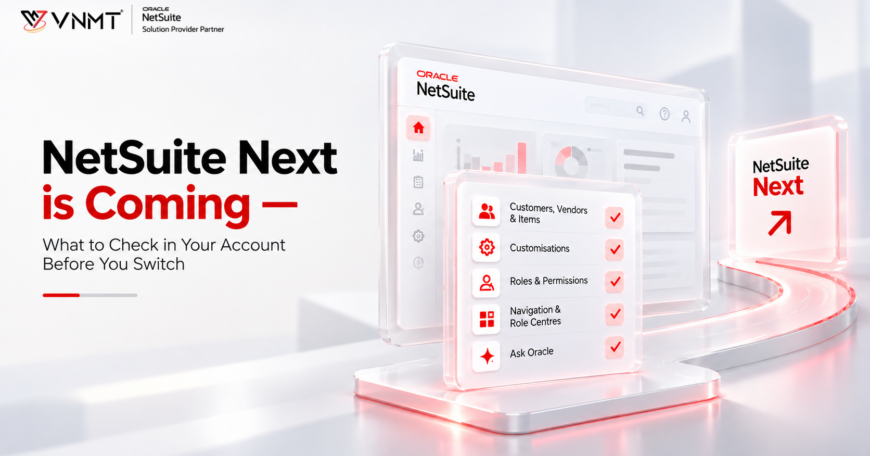
Five Things to Check Before You Switch to NetSuite Next
1. Clean Up Duplicate and Inconsistent Records First
Customers, vendors, and items are referenced in every transaction and report, so this is where fragmentation hurts most. We regularly see web orders landing against the wrong customer record because a storefront integration created a new record instead of matching an existing one. That single error breaks credit terms, invoicing, and the customer’s purchase history, and it repeats every time someone, Ask Oracle included, tries to pull a clean picture of that account. Resolving duplicates and standardising naming across customers, vendors, and items is the highest-value item on this list.
2. Review Customizations Before You Rely on AI to Explain Them
Scripts and workflows built for a process that no longer runs don’t sit there harmlessly; they make it harder to explain why a transaction behaved the way it did. Oracle’s guidance points to four things worth checking: workflows tied to retired approval paths, overlapping automation solving the same problem twice, low-value custom fields nobody reports on, and custom logic that predates a native NetSuite feature. If you don’t have an in-house developer, Oracle notes this is the kind of review organisations often hand to a NetSuite partner. If you’re running integrations through Celigo, the same logic applies to sync flows feeding records into NetSuite; duplicate or conflicting mappings create the same ambiguity.
3. Check Roles and Permissions Actually Match Today’s Jobs
Roles drift. Someone gets temporary access during a busy quarter and keeps it two years later. A finance analyst role in one team ends up with different access to the “same” role in another team. Ask Oracle surfaces insights and actions based on what a role can see, so if the role is wrong, the guidance it gives is wrong too. Worth a plain audit: does this role match what the person actually does, and is access consistent across people doing the same job?
4. Tidy Up Navigation and Role Centres
Navigation menus and role centres build up rarely used links over the years, and nobody prunes them until it starts costing time. Ask Oracle is set to become the new global search experience inside NetSuite, and it uses role and permission settings to decide what’s relevant to show someone. A cluttered role centre doesn’t just slow a user down manually; it makes it harder for the assistant to recommend the right next action. Self-service saved searches are a good example of this done well: giving a warehouse or sales team direct access to the stock view they need, instead of a shared report built two years ago for a different purpose.
5. Get Comfortable Asking Oracle Questions
This step is a habit, not a setting. Ask Oracle responds better to specific, business-focused questions; “explain the variance in freight cost last quarter” gets a sharper answer than “show me costs”. Oracle also recommends checking AI-generated summaries against a trusted report or dashboard while you build confidence in the tool, and testing the same question across different roles to see how access shapes the answer. If you want to see how Oracle’s AI features already behave inside NetSuite, our piece on AI-powered pricing in NetSuite is a useful comparison.

The Switch Itself Isn’t the Risk
None of this is a reason to delay NetSuite Next. There’s no cost and no re-implementation, and Ask Oracle is already available now if your admin turns it on. What’s worth taking seriously is the state of the account it switches on top of.
If the checks above turn up more than a quick tidy-up- say, roles, customizations, and data all need attention at once- it’s worth treating as a scoped piece of work rather than something squeezed in between other jobs. Our NetSuite implementation guide walks through how we structure that kind of review end to end. We’ve delivered more than 10,000 hours of NetSuite work across 100+ clients since 2017, and this exact readiness check- data, roles, customizations, navigation- is the first thing we look at on any post-go-live engagement. If you want a second set of eyes on your account before you switch, get in touch, and we’ll run through it with you.