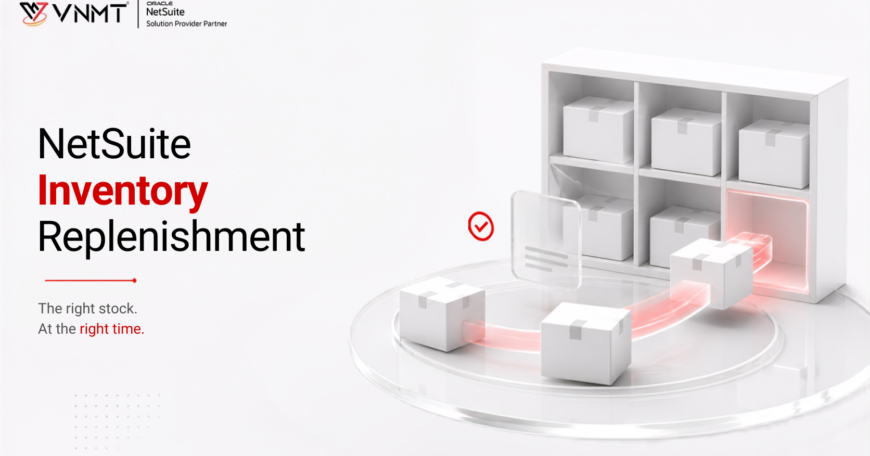

Inventory replenishment is the process of maintaining enough stock to meet customer demand without creating excess inventory. NetSuite helps businesses plan replenishment based on factors such as demand, inventory levels, lead times, and supply requirements.
NetSuite Inventory Replenishment helps companies streamline inventory planning using replenishment methods, demand forecasts, lead times, and inventory thresholds. These tools help businesses determine when to replenish stock and how much to order based on inventory data rather than assumptions. Whether you are a manufacturer, distributor, retailer, or e-commerce business, understanding the available replenishment methods can help support more effective inventory planning.
Key Points of Inventory Replenishment
- NetSuite provides various approaches to inventory replenishment that cater to various inventory management strategies.
- Reorder Point, Preferred Stock Level, Time-Phased Planning, Demand Planning, and Supply Planning are the approaches that can be utilized for inventory replenishment.
- Selection of the appropriate approach for inventory replenishment will depend on the demand for the products, lead time, sales volatility, and the objectives of the business.
- Demand planning and supply planning play a key role in reducing stock-outs without creating excess inventory.
- Monitoring of the inventory KPIs will ensure the continuous improvement of the inventory replenishment.
What Is Inventory Replenishment?
The process of finding out the timing and the amount of inventory that should be ordered or produced is known as inventory replenishment. Its aim is to make sure that the required products are always available while minimizing excess inventory. A good inventory replenishment plan considers the following opposing requirements-
1. Availability of products
2. Minimum cost of holding inventory
In cases where an effective inventory replenishment policy is not implemented, companies face the following issues:
- Inventory shortages
- Excess inventory
- High warehouse costs
- Loss of potential sales
- Costs related to emergency buying
- Poor customer satisfaction
Advanced ERP solutions like NetSuite automatically calculate the replenishment quantities through an analysis of inventory, past sales, lead time, forecasted demand, and replenishment policy. Planning personnel no longer have to conduct difficult calculations manually.
Why Inventory Replenishment Matters
This is because inventory affects sales, profitability, customer satisfaction, and cash flow. A small error in inventory planning could lead to major problems within an organization.
- Automated replenishment helps prevent stockouts, delivery delays, and cancellations.
- Better inventory planning helps avoid excess stock, storage costs, and obsolescence.
- Optimized inventory levels can reduce capital tied up in excess stock.
- Better product availability can improve order fulfillment and customer satisfaction.
- Automated planning saves time and allows procurement teams to focus on supplier relationships.
How NetSuite Inventory Replenishment Works
Continuous assessment of the inventory data takes place in NetSuite to determine whether replenishment is needed or not. Depending upon the chosen method of replenishment, NetSuite looks into many variables to make decisions regarding purchasing and supplies.
Some of the considerations are:-
- Current inventory
- Past sales
- Customer demand
- Purchase orders
- Work orders
- Lead time
- Safety stocks
- Desired stocks
- Seasonal demand
- Sales forecast
- Supply planning strategy
This helps businesses make informed replenishment decisions while reducing inventory-related risks. The use of NetSuite Advanced Inventory provides organizations with functionalities like multi-location inventory, transfer recommendations, demand-based replenishment, and inventory visibility in warehouses.
What are the Inventory Replenishment Methods Available in NetSuite
In fact, the replenishment strategy depends on the product type. There are differences between fast-selling products, seasonal products, and produced vs. purchased inventory types. NetSuite has different inventory replenishment methods for such business needs.
1. Reorder Point Method
The Reorder Point Method triggers replenishment when inventory falls below a set level. NetSuite considers average daily demand, supplier lead time, and safety stock when determining the reorder point. For example, with daily demand of 20 units and a 10-day lead time, replenishment may be triggered around 200 units, depending on safety stock.
2. Preferred Stock Level Method
Preferred Stock Level defines the inventory level a business aims to maintain after replenishment. When inventory falls below the desired level, NetSuite calculates the quantity needed to restore it. This method helps maintain consistent inventory levels.
3. Time-Phased Replenishment
Time-Phased Replenishment considers future inventory requirements rather than only current stock levels. NetSuite uses factors such as demand forecasts, lead times, future receipts, and demand to identify upcoming shortages. It is particularly useful for predictable seasonal demand or products with long supplier lead times.
4. Demand-Based Planning
Demand-Based Planning uses forecasted customer demand to guide replenishment decisions. NetSuite considers expected demand instead of relying only on fixed inventory thresholds or historical averages. It can be useful for businesses with changing or unpredictable demand.
5. Supply Planning (MRP)
Supply Planning, or Material Requirements Planning (MRP), considers inventory, demand, and supply across the business. It helps identify potential shortages and determine where inventory is needed. It can also help assess whether inventory should be transferred, purchased, or manufactured.
Choosing the Right NetSuite Inventory Replenishment Method
There is no single replenishment approach that works well for all products. The nature of the inventory influences the required planning approach.
For instance:
- Fast-moving, stable products can use reorder point.
- Frequently purchased products can use preferred stock level.
- Seasonal products can use time- phased or demand planning.
- Multi-channel production can use supply planning.
A good number of companies employ several replenishment approaches depending on the product category, demand pattern, and inventory value. This classification of inventory may be done using various techniques, including ABC analysis.
How to Set Up Inventory Replenishment in NetSuite
Inventory replenishment efficiency requires proper configuration. The incorrect setting of the software will cause wrong purchase advice, surplus inventory, or persistent stock shortages.
Configuration is usually done in the following way:
Step 1: Enable Required Features
The features you enable may vary based on your NetSuite setup and inventory planning requirements. These might be:
- Advanced Inventory
- Demand Planning
- Supply Planning
- Multi-Location Inventory
- Automatic Location Assignment
Such features make it possible to perform automatic inventory planning and replenishment.
Step 2: Set Up Item Records
For each inventory item, the following planning information needs to be accurately filled in:
- Lead time
- Optimum stock level
- Safety stock level
- Reorder point
- Order quantity
- Ordering procedure
- Supplier information
Accurate information on master data is required because recommendations for replenishments are calculated based on the above values.
Step 3: Set up Location Parameters
Businesses using several locations as warehouses need to set up inventory parameters at each location. Examples of the parameters are:
- Minimum inventory level
- Maximum inventory level
- Optimum stock level
- Transfer parameters
- Receiving lead time
Location-specific parameters will improve the accuracy of replenishment recommendations and assist in effective inventory management.
Step 4: Replenishment Recommendations Generation
After inventory parameters are set up, NetSuite analyzes inventory status, forecasted demand, and supply constraints and generates replenishment recommendations. The recommendations can include:
- Purchase orders
- Work orders
- Transfer orders
Replenishment recommendations can be reviewed and modified by the inventory planner and approved prior to execution.
Step 5: Monitor and Improve
Planning of inventory should not be viewed as a single-time setup activity. Businesses should periodically review the planning parameters as a result of changes in customer demands and supplier performance.
Best Practices for NetSuite Inventory Replenishment
In addition to choosing an effective planning approach, successful inventory replenishment requires creating processes that increase the accuracy of future planning activities.
1. Review item data regularly, as inaccurate lead times, vendor details, or item information can affect replenishment suggestions.
2. Update demand forecasts regularly to account for seasonality, promotions, and new products.
3. Monitor supplier lead times and adjust replenishment settings as needed.
4. Set safety stock carefully to balance supply protection with inventory holding costs.
5. Use different replenishment methods based on SKU value, seasonality, demand, and product type.
6. Automate replenishment suggestions to save time, improve consistency, and help planners focus on exceptions.
Common NetSuite Inventory Replenishment Mistakes
The most efficient way to maintain a high-performing inventory may be compromised due to inefficient planning, even in the presence of advanced ERP software.
Utilizing Static Reorder Points
The demand for inventory items is not constant, and thus reorder points have to be adjusted according to the current situation.
Also Read: NetSuite Inventory Challenges and How to Solve Them
Neglecting Seasonal Variations in Demand
There is a lot of business that experiences seasonality in its demand. Failure to consider this factor while planning will result in stockouts.
Outdated Lead Time Data
If the lead times of suppliers change but you still use old information, then your recommendations will not be accurate enough. This data needs to be up-to-date.
Low-Quality Forecasts
Forecasts built upon incomplete or incorrect historical data will affect the decisions related to purchasing. Forecasts should be updated according to new sales trends.
Planning Each SKU Equally
Products differ from each other, and thus they need different planning strategies. Using the same strategy for everything lowers the efficiency of the planning process.
Ignoring Inventory Planning Performance
Businesses should continuously evaluate replenishment results using measurable KPIs rather than assuming planning settings remain effective indefinitely.
Industry Use Cases of Inventory Replenishment Methods
The ideal inventory replenishment method varies by industry, as demand patterns, product lifecycles, lead times, and operational priorities differ across businesses. Choosing the right approach helps organizations maintain optimal inventory levels while improving efficiency and customer satisfaction.
Retail Industry
There are constant changes in demand, promotions, and seasons for retailers. Demand Planning and Preferred Stock Level ensure that there is always inventory, but without overstock.
Wholesale Distribution
Wholesalers often deal with thousands of SKUs and several warehouses. Reorder Point and Supply Planning streamline purchase orders and make the process of inventory allocation efficient.
Manufacturing Sector
There is a need to plan raw materials, manufacturing, and finished goods. NetSuite manufacturing solutions with Supply Planning help plan purchases in accordance with the manufacturing schedule.
Healthcare Sector
There is a need to provide patients with constant access to necessary medicines and products. The automated process of replenishing prevents stockouts of critical products.
Food and Beverage
There is a need to deal with perishable inventory and minimize the loss due to spoiled goods.
Performance Indicators for Successful Inventory Replenishment
Measuring performance indicators can help companies see where improvement is needed and assess the success of their inventory planning. The main inventory performance indicators include:
- Inventory Turnover Ratio – measures how efficiently inventory is sold and replenished.
- Stockout Rate – shows how often products are unavailable due to insufficient inventory.
- Order Fill Rate – measures the percentage of customer orders fulfilled without delays or shortages.
- Forecast Accuracy – compares forecasted demand with actual sales to assess planning effectiveness.
- Inventory Accuracy – compares recorded inventory levels with the actual physical stock.
Consistent analysis of those performance indicators will help companies optimize their replenishment settings and increase performance over time.
Watch the On-Demand Inventory Replenishment Webinar by VNMT Solutions
Understanding inventory replenishment is one thing, but seeing how it works in real business situations makes it much easier to put into practice. In this on- demand webinar, Jay Patel walks through different inventory replenishment methods using NetSuite, including how to plan inventory and choose the right approach for your business. Watch the recording to see these methods in action and take away practical ideas you can apply to your own inventory processes.
The webinar will cover:
- Methods for choosing the appropriate replenishment approach based on inventory type.
- The most typical configuration errors that affect the quality of replenishment.
- Best ways to integrate NetSuite Advanced Inventory & Demand Planning.
- Real-life examples of inventory optimization in manufacturing, wholesale, and retail companies.
- Using Supply Planning to make proactive purchasing and production decisions.
- Techniques for increasing forecast accuracy and lowering inventory costs.
Watch the on-demand webinar to learn how NetSuite inventory replenishment methods can improve inventory planning, forecasting, and replenishment decisions in real-world scenarios. Connect with VNMT Solutions to explore the right inventory replenishment strategy for your business.

Register Today!
Effective inventory management requires more than enabling NetSuite functionalities. VNMT Solutions helps businesses address forecasting, stock levels, replenishment, and warehouse visibility challenges with the right NetSuite Inventory Replenishment strategies. From selecting the right replenishment approach and configuring Advanced Inventory and Supply Planning to improving forecasts and automating replenishment decisions, our experts can help optimize both new and existing NetSuite environments. Register for our webinar to learn how to implement these capabilities effectively and avoid common mistakes.