
Implementing NetSuite ERP affects core business operations, internal workflows, and decision-making across multiple departments. A properly planned configuration strategy helps businesses improve operational visibility, simplify daily processes, and create a more efficient and scalable working environment.
To achieve the best results, NetSuite configuration should be aligned with business workflows, reporting structures, approval processes, and operational requirements. A well-configured system reduces dependency on excessive customization, helping organizations save time, control implementation costs, and maintain better long-term system performance.
What is NetSuite Configuration?
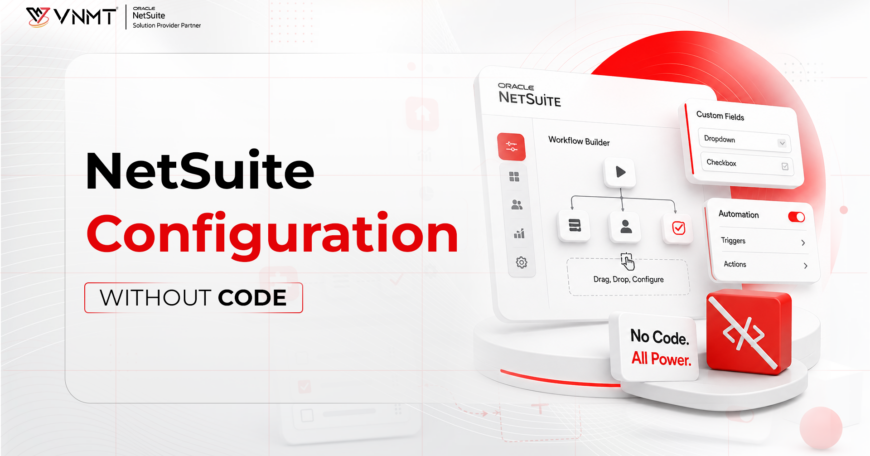
NetSuite configuration entails customizing the ERP through its built-in functionalities without coding any program into the software. The objective of configuration is to determine how the system should run in relation to the business processes.
Some of the configurations in NetSuite include financial structure, enabling different modules, role creation, and designing dashboards, among others. The goal is not to develop new features but to maximize the use of the existing features in NetSuite.
A good configuration allows the system to operate according to the operations of the business. This means that, for instance, the approval processes, the reporting, and the access rights of each user must be done in NetSuite. A well-configured system minimizes manual efforts.
For example, Businesses can configure approval workflows to streamline purchase and expense approvals, create role-based dashboards for finance, sales, or management teams, and assign department-specific permissions for better data security. NetSuite also allows teams to use saved searches for faster access to reports, customer records, inventory updates, and operational insights.
Configuration vs Customization
The key issue that needs to be settled when implementing the application is whether to configure NetSuite or customize it.
NetSuite Configuration
NetSuite configuration focuses on using the platform’s built-in features, such as workflows, dashboards, user roles, permissions, forms, and saved searches to support daily business operations. Since configuration does not require custom coding, it is faster to implement, easier to maintain, and more cost-effective. It is ideal for businesses looking for a stable ERP setup with quicker deployment and lower long-term maintenance efforts.
NetSuite Customization
NetSuite customization involves creating additional functionalities beyond the standard system capabilities. This may include SuiteScript development, advanced automation, custom records, or third-party integrations to support unique business requirements. While customization offers greater flexibility and process-specific solutions, it also requires more development time, testing, and ongoing maintenance. Businesses generally choose customization when standard NetSuite features are unable to fully support specialized operational needs.
Read More: Approach NetSuite Customization In The Right Way
Key Configuration Areas in NetSuite
To successfully configure NetSuite ERP, it is important to focus on the core areas that directly impact system performance, user experience, and business efficiency.
Company Setup and System Preferences
Company setup forms the base of the NetSuite environment and plays a major role in how the ERP system functions across the organization. This process includes defining business entities, financial periods, taxation settings, operational preferences, and reporting structures to ensure accurate system performance.
For larger and expanding organizations, the setup may also include multi-subsidiary management, currency management for global transactions, and tax compliance settings aligned with regional regulations. Proper configuration at this stage helps businesses maintain financial accuracy, improve reporting consistency, and support smoother day-to-day operations across departments and locations.
Permissions and Roles
Permissions and roles in NetSuite determine the accessibility and modifiability of various system components by different users. Therefore, each role should be associated with specific positions within an organization. For instance, financial employees require accounting information, while the marketing department can use customer data.
Using proper authorization, the security of sensitive information is assured, and users’ errors are minimized. Moreover, by implementing appropriate roles, the usability of the system becomes much simpler since unnecessary features will not be accessible to users.
Proper company setup also supports segregation of duties and audit control, helping businesses improve data security, maintain compliance, and reduce operational risks within the ERP system.
Workflow Automation
Through workflow automation in NetSuite, processes can be configured to run based on predefined rules, reducing manual intervention and improving operational efficiency.
For example, approval processes can be automated so transactions are routed according to organizational hierarchies. Automation can also notify employees when action is required, helping teams maintain consistency, improve coordination, and streamline operations as the business grows. Common NetSuite workflow automation examples include PO approvals based on purchase value, invoice routing for finance verification, and sales order approvals aligned with pricing or credit policies. Businesses can also set up notification triggers to alert teams about pending approvals, delayed actions, or important operational updates.
Dashboard Setup
The right dashboard design in NetSuite enables a user to have instant access to all the information they need regarding their business. The dashboard design is personalized depending on each role.
For instance, in the finance department, the main concerns would include revenues and cash flows. On the other hand, in the sales department, performance indicators would be a top priority. It is easier and quicker to access information with a personalized NetSuite dashboard compared to searching for it elsewhere.
Feature and Module Configuration
The NetSuite Suite consists of a variety of features; however, not all of them might be essential for every business. Feature activation is a process of using only the features relevant to your business.
Such features may be related to finance management, CRM, inventory, or projects. Only those features that are required help in maintaining a clean and intuitive system. It further ensures better performance and a shorter learning process for the users.
Steps for Configuring NetSuite ERP
Following an organized configuration process for NetSuite helps ensure that all parts of the system are configured correctly, which creates a smooth transition from implementation to operational use.
1. Review existing workflows, reporting requirements, approval structures, and operational challenges to define implementation goals clearly.
2. Configure organizational details, accounting periods, tax settings, currencies, and other essential system preferences.
3. Assign role-based permissions and access controls to ensure secure and structured system usage across departments.
4. Implement automated approvals, alerts, task routing, and business rules to reduce manual effort and improve efficiency.
5. Design dashboards, saved searches, and reporting layouts that provide relevant insights for different business teams.
6. Conduct testing to verify workflows, approvals, reports, and operational processes before the ERP system goes live.
7. Continuously review system performance after deployment and optimize configurations as business requirements evolve.
Best Practices for NetSuite Configuration
It is essential to follow best practices when configuring NetSuite because doing so will help organizations establish an efficient and robust system that continues to provide benefits as their operations expand.
- Align the configuration process with actual business workflows and operational requirements to ensure better system usability and long-term efficiency.
- Avoid overconfiguration or unnecessarily complex workflows, as this can reduce user adoption, increase maintenance efforts, and complicate future upgrades.
- Use standard NetSuite functionalities wherever possible to maintain system stability, simplify upgrades, and reduce dependency on excessive customization.
- Involve end users and department stakeholders during configuration to ensure the system supports practical day-to-day business operations.
- Maintain detailed documentation for workflows, permissions, dashboards, integrations, and configuration changes to simplify future maintenance and troubleshooting.
- Use sandbox testing before deployment to validate workflows, automation, approvals, and reporting without affecting live business operations.
- Prioritize scalability while configuring the ERP system so it can support future business expansion, additional users, and evolving operational requirements.
- Conduct regular configuration reviews, such as quarterly assessments, to identify optimization opportunities, improve performance, and align the system with changing business needs.
Also Read About: Best Practices for NetSuite Customization
Common NetSuite Configuration Mistakes to Avoid
Despite the proper planning and execution of the NetSuite implementation process, operational and performance problems may arise due to some misconfigured components and other related concerns during both configuration and system management stages.
1. Complex workflow schemes, dashboards, and approval procedures decrease usability and complicate maintenance in the future.
2. The configurations implemented today might become a burden tomorrow if the business grows, hires more employees, or launches a completely new business process.
3. Inadequate user access rights result in the violation of the segregation of duties principle, data security problems, and data visibility issues.
4. Excessive customization creates dependence on upgrades, raises costs of further software deployment, and increases system complexity.
5. Unprepared configuration deployment into production leads to the failure of the business processes and even causes some system errors.
6. A lack of documentation complicates troubleshooting, training sessions, audits, and upgrade processes.
7. Proper configuration alone is not enough; the implementation process will be useless if employees have no proper understanding of processes and workflows.
8. Business needs change over time, and misconfigured systems become ineffective and hard to maintain.
When Customization is Required
Although configuration will suffice in handling most situations, there might be cases where customization will be required. This is usually the case when the business processes involved cannot be handled through regular workflow, or when integration capabilities are needed.
Some form of customization will have to be made in certain situations where there are specific needs in the industry that cannot be fulfilled through configuration. However, caution should be exercised when choosing customization since it increases the burden during maintenance. It would be best to use the configuration before considering customization.

Get Started with Smart NetSuite Configuration Today
Is your business facing reporting issues, inefficient workflows, or difficulties managing ERP operations effectively? The real value of NetSuite comes from proper configuration that aligns the system with your business processes, reporting needs, and future growth plans.
A well-configured NetSuite environment improves efficiency, strengthens visibility, supports automation, and reduces operational complexity. As an experienced NetSuite solution provider in India, VNMT Solutions helps businesses optimize configurations, simplify licensing decisions, and build scalable ERP systems designed for long-term growth.